Frequently Asked Questions
Everything you need to know about ClodHost.
Getting Started
ClodHost gives you your own Linux server with Claude Code pre-installed and ready to go. Just describe what you want to build, and Claude will create it for you. No setup, no configuration, no DevOps knowledge required.
You get a real VPS (virtual private server) that you fully control, with your project accessible at a custom subdomain like yourproject.clodhost.com.
Purely to verify you're a real person. Free servers attract bots and abusers, and filtering them out is how we keep real builders' servers fast and genuinely free. Your card is verified by Stripe with a $0.00 authorization — nothing is charged, today or ever, unless you deliberately choose a paid plan later.
There's no subscription behind it, no trial that expires, and nothing you need to cancel. Your first S server is simply free, forever. We never see your card number — it's stored by Stripe, the same payment processor used by Amazon and Google.
Nope! That's the whole point. Just describe what you want in plain English, and Claude will write and deploy the code for you. You can build complete web applications, APIs, bots, and more without writing a single line of code yourself.
That said, if you do know how to code, Claude becomes an incredibly powerful pair programmer that can help you move 10x faster.
It's completely free during the beta! We're not charging anything while we're in beta.
Pricing is a flat monthly rate per server, starting at $24.95/month retail for a Small server — your first S server is free, beta users keep 50% off for life, and annual billing saves another 10%. This includes:
- Unlimited Claude usage (no token limits)
- Your own dedicated Linux VPS
- Free subdomain (yourname.clodhost.com)
- Automatic HTTPS/SSL
- Cloudflare CDN protection
Beta perk: If you sign up during the beta, you get 50% off for life!
No surprise bills, no usage-based pricing. What you see is what you pay.
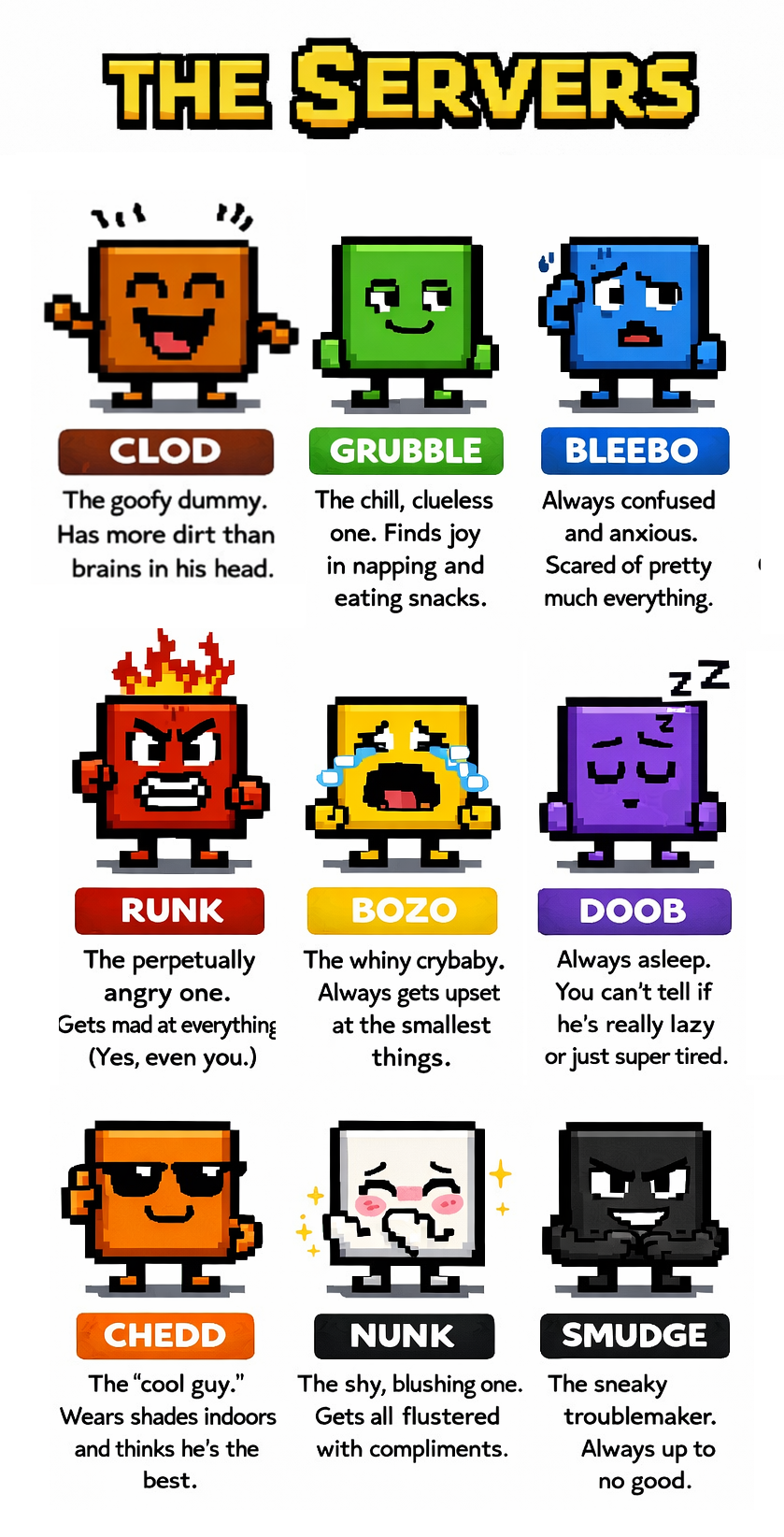
The colors indicate which kind of server you have!
Privacy & Security
No. We have opted out of training on your data. Your code, conversations, and files are not used to train Anthropic's models.
Your data stays your data.
Yes. Each user gets their own isolated VPS. Your code and data are stored on your server and are not accessible to other users (unless you explicitly share access).
You can also use the Share feature to give specific people access to view or collaborate on your project.
You do. 100%. ClodHost claims absolutely no ownership over anything you build, create, or host on our platform.
Your code, your intellectual property, your files, your data - it's all yours. We're just providing the infrastructure and tools. We have no rights to your work, and we never will.
Build your startup, your side project, your million-dollar idea - it belongs entirely to you.
Claude is security-conscious by design. It follows security best practices when writing code - using parameterized queries, proper input validation, secure authentication patterns, and avoiding common vulnerabilities.
Want extra peace of mind? Just ask Claude: "Can you do a security audit of my code?" and it will do a thorough review - checking for SQL injection, XSS, authentication issues, exposed secrets, and other vulnerabilities. It's like having a security expert on call 24/7.
Capabilities
Yes! We recommend telling Claude to use Expo Go to build your app. This lets you test your app on your real phone while developing.
Once your app is working how you like, ask Claude: "How do I publish this to the App Store / Play Store?" and it will walk you through the process of making it a real, downloadable app.
Absolutely. Many ClodHost users run production websites, SaaS apps, and customer-facing services on their servers.
You get a real VPS with full root access, so you can run databases, background jobs, cron tasks, and anything else a production website needs.
A lot. You'd be amazed what you can do on a single VPS. A Small server can handle thousands of concurrent users, and if you need more, just upgrade to Medium, Large, or XL.
We also put all your traffic behind Cloudflare's CDN, which caches static assets and protects against DDoS attacks. With proper caching, millions of visitors a day is no problem.
Yes. You have a full Linux server at your control. Install anything you'd like: Node.js, Python, Ruby, Go, Rust, PHP, Java, databases (PostgreSQL, MySQL, Redis, MongoDB), message queues, and more.
Claude can help you install and configure whatever you need.
All of them! Since you have a full Linux server, you can use any language or framework you want:
- JavaScript/TypeScript: React, Vue, Next.js, Express, Node.js
- Python: Django, Flask, FastAPI
- PHP: Laravel, WordPress, vanilla PHP
- Ruby: Rails, Sinatra
- Go, Rust, Java, C# and more
Claude knows all of these and can help you build with whichever you prefer (or recommend one if you're not sure).
Yes! You have a full Linux server, so you can clone any Git repository and work on it directly. Just tell Claude:
- "Clone my repo from https://github.com/myuser/myproject and set it up"
- "Pull the latest changes from my GitHub repo"
- "Push my changes back to GitHub"
Claude can clone repos, install dependencies, run builds, and get your existing project running on your server. It works with GitHub, GitLab, Bitbucket, or any Git remote.
You're not limited to starting from scratch — bring your existing code and let Claude help you build on it.
Absolutely. Everything Claude creates lives on your server as regular files. You can:
- Ask Claude to show you any file: "Show me the code for the homepage"
- Ask Claude to push to GitHub: "Set up a GitHub repo and push all my code"
- Ask Claude to commit changes: "Commit everything to Git"
- Download files using the download button in the chat
There's nothing hidden. Your code is just regular files on a real Linux server. Claude can help you set up a GitHub repo so you always have a backup and can collaborate with others.
Yes! You can connect your own domain (like myapp.com) to your ClodHost server. Just go to the Domains page to set it up.
We automatically provision SSL certificates for your custom domains, so your site will be served over HTTPS.
We don't recommend it. Your Claude chat has full root access to your server, so anything you'd want to do via SSH — installing packages, editing config files, running commands, managing services — you can just ask Claude to do it for you. It's faster, easier, and less error-prone than SSHing in yourself.
Unlimited chat covers interactive use through your ClodHost prompt. For programmatic AI — apps that call models themselves, automated pipelines, agents you script — bring your own API keys (pay the provider directly, we charge nothing), or use our keys at the per-token prices listed on our homepage, prepaid from your AI credit balance. What's not allowed is driving the unlimited interactive chat with automation to dodge metering.
Violations of that policy will result in immediate account suspension. See our Terms of Service for details.
You don't need it! Your server is always reachable at yourservername.clodhost.com — that's guaranteed to always point to your server.
We don't guarantee that IP addresses will stay static. If we need to migrate your server for maintenance or upgrades, the IP may change — but your .clodhost.com subdomain will always follow it automatically.
For custom domains you manage yourself, use a CNAME record pointing to yourservername.clodhost.com. Or even easier — just use the Add Domain option in the menu and we'll handle everything for you.
Absolutely. There's no lock-in whatsoever. You have full root access to your server - it's a real Linux VPS that you control.
Just ask Claude to help you back up your files, export your databases, or transfer everything to another server. Claude can zip up your code, create database dumps, set up rsync, or whatever else you need to take your data with you.
Your code is your code. We're not holding it hostage.
Collaboration
Yes! You can share access to your chat and server with others using the Share button in the menu. Shared users can view the conversation and optionally send commands too.
For teams and classrooms, check out the Teams feature, which lets you create a group where members can spin up their own Claude sessions on your account.
Yes! The Teams feature is perfect for this. Here's how it works:
- Create a team and get a unique join link
- Share the link with your students, employees, or collaborators
- Each person who joins gets their own Claude chat session
- All sessions run on your account (you pay once, everyone benefits)
- You can see all team members and their activity from the management page
It's great for coding bootcamps, university courses, company hackathons, or any situation where you want to give a group of people access to Claude without them each needing their own subscription.
Tips & Tricks
When your site or app isn't working right:
- Open your browser's Developer Console (
F12on Windows/Linux, orCmd+Option+Jon Mac) - Look for red error messages in the Console tab
- Copy the entire error output
- Paste it to Claude and ask Claude to debug!
Claude can read error messages and usually fix issues automatically. The more context you give Claude, the faster Claude can help.
Click the + button at the bottom left of the chat. From there you can:
- Upload images, documents, or any files for your project
- Send quick commands (useful on mobile!)
- Press Enter again if a command didn't go through
You can also just drag and drop files directly into the chat window.
Yes! Use the + button in the tabs or the hamburger menu to add more chats. You can:
- Run multiple Claudes in parallel on the same server
- Have Claude work on different parts of your project simultaneously
- Switch between chats using the tabs at the top
This is great for complex projects where you want one Claude working on the frontend while another works on the backend.
Pro tip: Claude can be lazy sometimes! If Claude asks YOU to do something (like "run this command" or "create this file"), just ask Claude to do it instead.
Claude has full access to your server and can run commands, create files, and make changes directly. You rarely need to do anything manually.
Your site is live at yourname.clodhost.com (whatever subdomain you chose when signing up).
Open it in another browser tab and refresh as Claude makes changes. You'll see your site update in real-time as Claude builds it!
You can find your subdomain in the hamburger menu at the top right of the chat.
You can also set up your own real domain (like myapp.com) at any time, for free, on the Domains page.
If Claude stops responding or gets into a weird state:
- Click the hamburger menu ☰ and select "Restart Chat"
- This starts a fresh Claude session while keeping all your files intact
Your code and data are stored on the server, so restarting the chat won't lose any work.
Support
A few options:
- Ask Claude: Claude can usually help debug issues and fix problems. Just describe what's going wrong.
- Contact Support: Send us a message on the Support page and we'll help you out.
It happens! Claude is powerful but not perfect. If something breaks:
- First, try telling Claude what went wrong and asking it to fix the issue.
- Send Escape twice from the + menu to rollback both Claude's context and code changes. (Note: any database changes likely won't be rolled back.)
- You can also use the "Restart Chat" option in the menu to start a fresh Claude session.
- If things are really broken, you can always contact support and we can help restore your server.
Pro tip: Periodically ask Claude to commit your code to Git so you have restore points.